
Create CRM leads
Save the contact, call summary, and next step automatically.
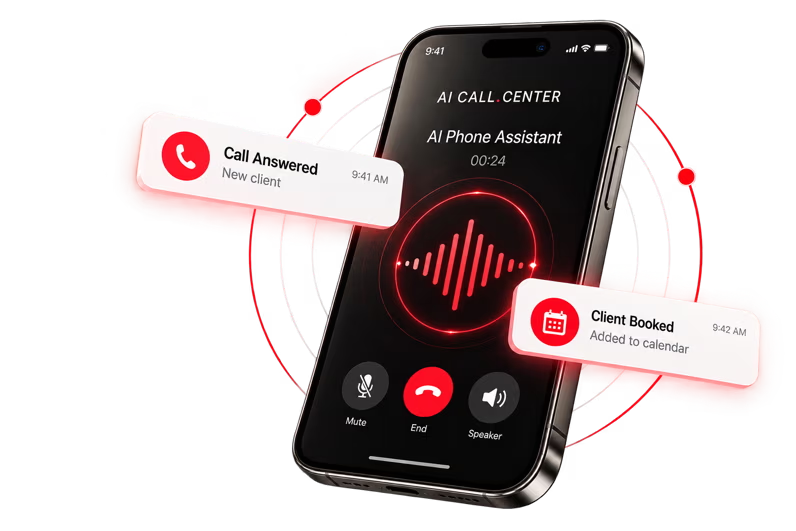
Your AI Phone Assistant answers questions, books appointments, follows up, and completes the next step in your workflow — 24/7, in your customer’s language.
Test Call the AI AssistantBuilt for U.S. local businesses · Inbound and outbound calls.
A fully personalized AI Receptionist, built specifically for your business. We handle the technical setup from start to finish.
Share your business needs and the tasks you’d like your AI Receptionist to handle.
We’ll review your requirements and provide a personalized setup quote.
We build your AI Receptionist around your business information, customer questions, and workflows — not a generic template.
We test your agent’s conversations, booking process, and agreed functions before launch.
Your AI Receptionist goes live. After launch, we stay available to support the agreed setup and help keep the existing functions working as intended.
New functions, integrations, and workflow changes are scoped separately.
It’s trained around your business and follows the exact process your customers need.
Save the contact, call summary, and next step automatically.

Return missed calls and re-engage people who didn’t answer.

Look up current services, hours, availability, and business details.

Check availability and reserve the right time on the spot.

Ask the right questions and collect the details your team needs.

Text an address, link, or confirmation while the call is happening.

Move between languages naturally — even mid-conversation.

Route important calls to your team with the full context attached.
No phone trees, button menus, or canned recordings.
It can switch languages naturally, right in the middle of a call.
Your voice — or another voice you choose.
Your AI Phone Assistant is built around the way your customers actually contact and buy from you.

Call → service → open time → booking → confirmation
You stay with the client. AI handles the appointment.

Vehicle + issue → details → questions → estimate → address
The customer arrives with a clear request already documented.

Address → job type → urgency → customer details → appointment
You don’t have to stop the job every time the phone rings.

Vehicle question → availability → test drive → CRM → follow-up → salesperson
Customers get inventory answers fast and can book a test drive.

Book → reschedule → reminders → admin questions → staff member
AI takes routine front-desk work off your team.

Reservation → change → hours → location → questions
The phone gets answered even during the dinner rush.
Tell us what you do. We’ll map out what can be automated in your specific workflow.
Talk About Your SetupThe faster you respond to a new inquiry, the better your chance of turning it into a conversation and a booked job.
Responding within the first five minutes can produce up to 8× higher conversion than waiting longer.
After an unanswered call, customers contacted a competitor. CallRail, 2025
Your AI Phone Assistant answers immediately — 24/7.

An illustrative example of how AI call coverage may compare with a full employee shift.
Answer → understand → handle → book → hand off
This is a general demonstration, not a public price or billing commitment. Your setup and service proposal are calculated individually.
Launch timing depends on the agreed functions, integrations, and testing scope. We confirm the expected timeline in your personalized proposal.
Review your calls, common questions, and the tasks AI can take over.
Set conversation logic, business knowledge, voice, languages, and booking.
Link the calendar, CRM, SMS, and other tools your workflow needs.
Test calls, customer questions, booking, transfers, and follow-up.
Your AI starts answering real calls and completing the assigned tasks.
Tell us about your business, how you handle customer calls, and what you’d like your AI Receptionist to do.
Our AI onboarding assistant will guide you through the questions one step at a time.
Plan for about 10–15 minutes. The number of follow-up questions varies based on your business and the workflows you want to set up.
Completing the onboarding chat helps us understand your requirements and prepare a proposal. It does not start paid development automatically.
Straight answers about setup and the options for your business.
An AI Phone Assistant answers calls, responds using your approved business information, and helps customers take the next step — such as leaving their details, booking an appointment, or reaching your team.
We configure the assistant around your business, including beauty services, auto repair, dealerships, home services, restaurants, and administrative appointment handling.
Yes, when connected to your calendar and phone workflow. It can check availability, help with booking, and transfer calls according to your rules.
The voice and supported languages are selected and tested for your setup. English, Russian, and Spanish are available options.
Yes, when those integrations are configured. It can send requested information and save customer details, a call summary, and the next step. Features shown on this page describe available setup options; the public demo may not include every integration.
We review your business needs, call flows, integrations, and required functionality, then prepare an individual setup and service proposal. New functions or workflow changes are scoped separately.
Yes. We can configure the call routing for your business hours, unanswered calls, or around-the-clock answering.
Submit the setup quote form near the top of this page. We’ll review your business needs and contact you with the next steps.